
Answer the phone already knowing who is calling — and why.
Netxol Contact Centre connects the operator’s own PBX (Asterisk AMI or FreeSWITCH ESL) to the console: an inbound call pops the subscriber with their ONT signal, last invoice and open tickets; agents click to call; wrap-up codes turn a call into a ticket; and a wallboard shows the queue in real time.
- Asterisk AMI / FreeSWITCH ESL
- Click-to-call & caller screen-pop
- Agent status ↔ PBX queues
- Wrap-up codes → tickets · wallboard
Why Netxol Contact Centre.
Every benefit below traces back to a specific capability in the platform — not a marketing slogan. See the capability grid at the bottom of the page for the full register.
The call arrives with context.
A screen-pop shows the subscriber, their network state and billing the instant the phone rings, so agents help instead of asking for an account number.
Your PBX, connected.
Integrates with the operator’s own Asterisk or FreeSWITCH over AMI/ESL — no rip-and-replace, no second telephony contract.
Every call becomes a record.
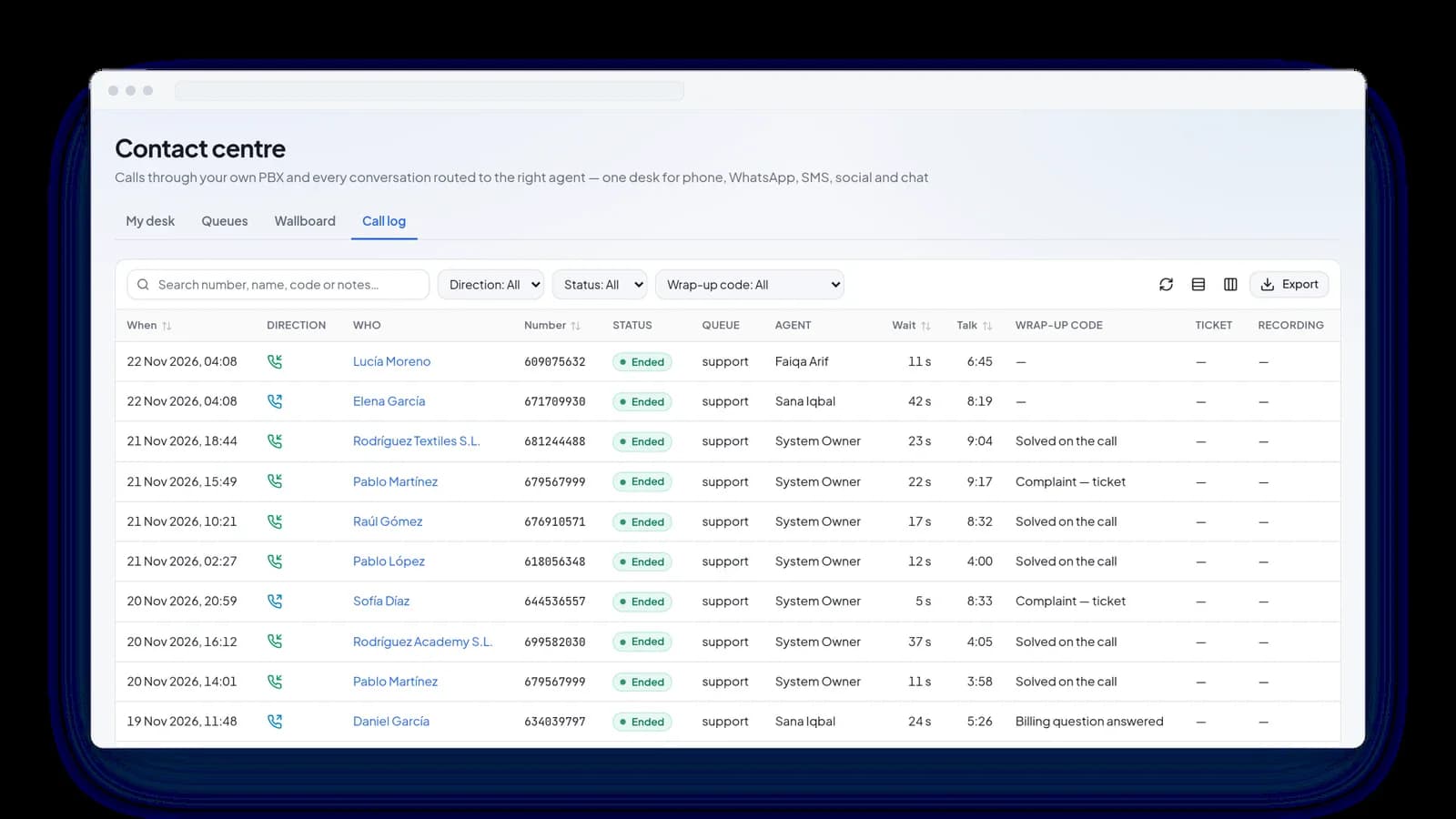
Wrap-up codes turn the outcome of a call into a ticket on the subscriber, so nothing is lost when the agent hangs up.
Supervisors see the floor.
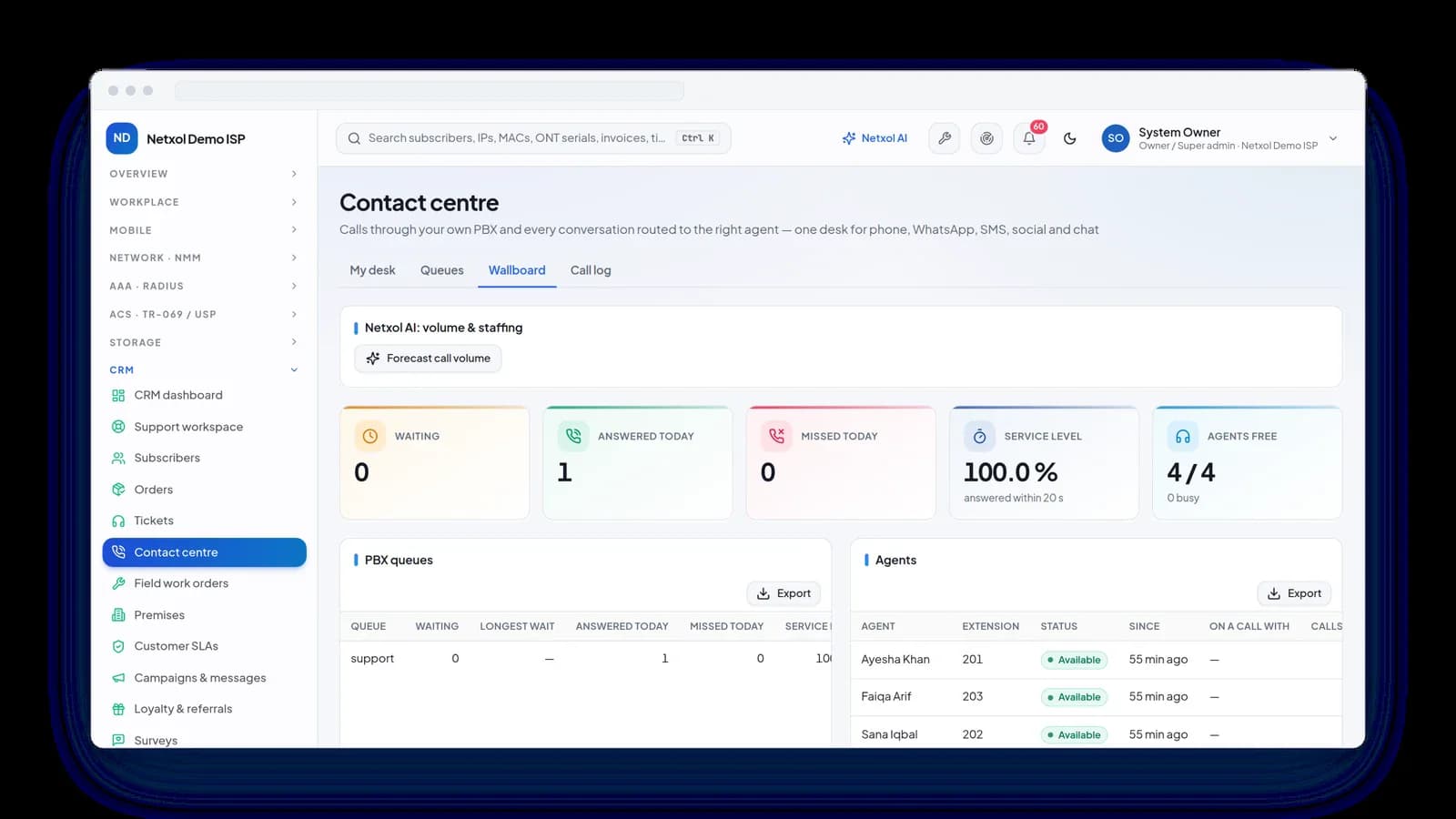
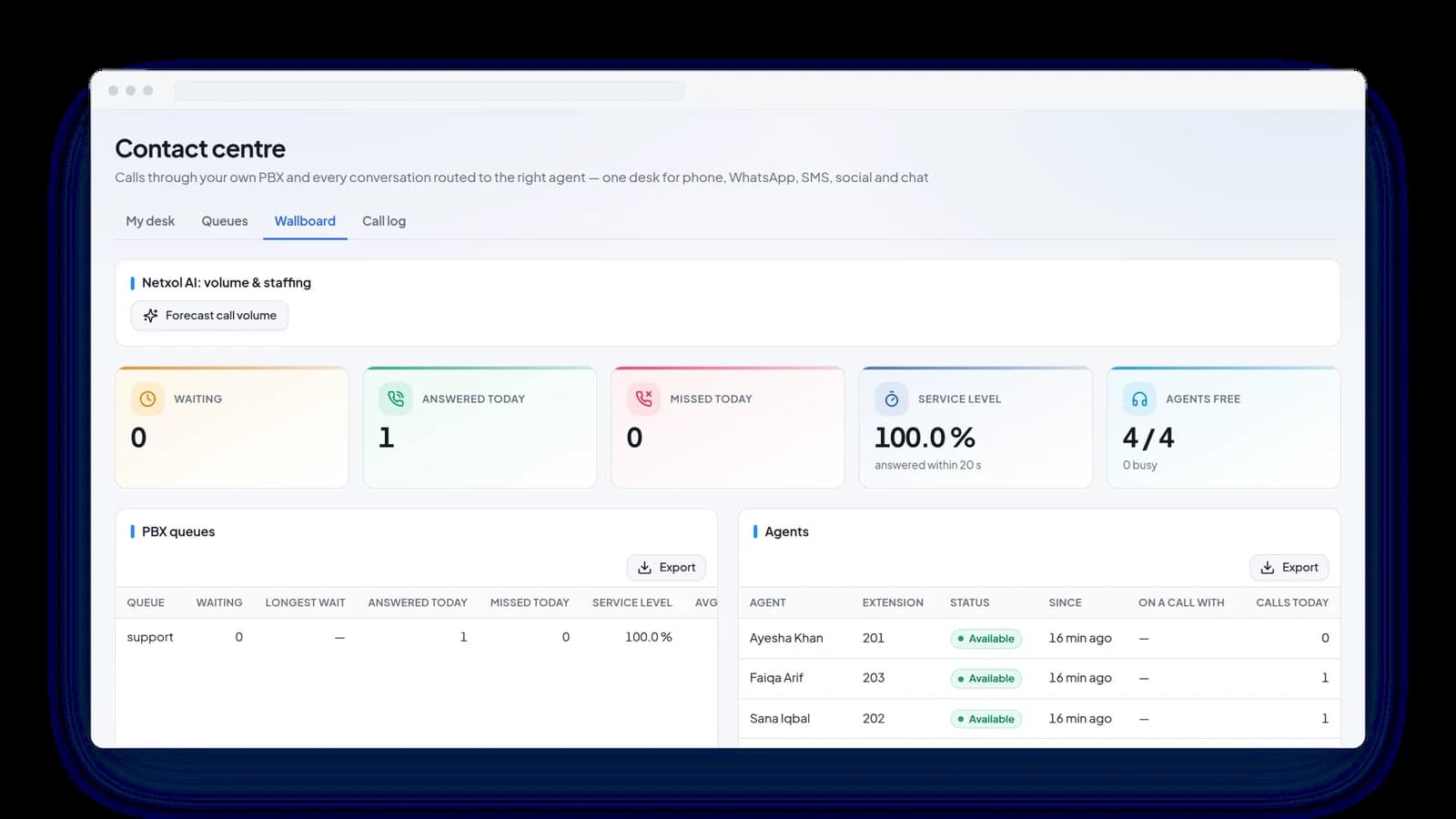
A live wallboard shows calls waiting, service level and agent status by queue, so the team is managed on facts.
Agents start the call already informed.
An inbound call pops the subscriber record with network signal, last invoice and open tickets; outbound is one click from any customer. The agent spends the call solving, not searching.
- Caller screen-pop with full context
- Click-to-call from any record
- ONT signal and billing in view
- One subscriber history across channels
Agent presence tied to the PBX.
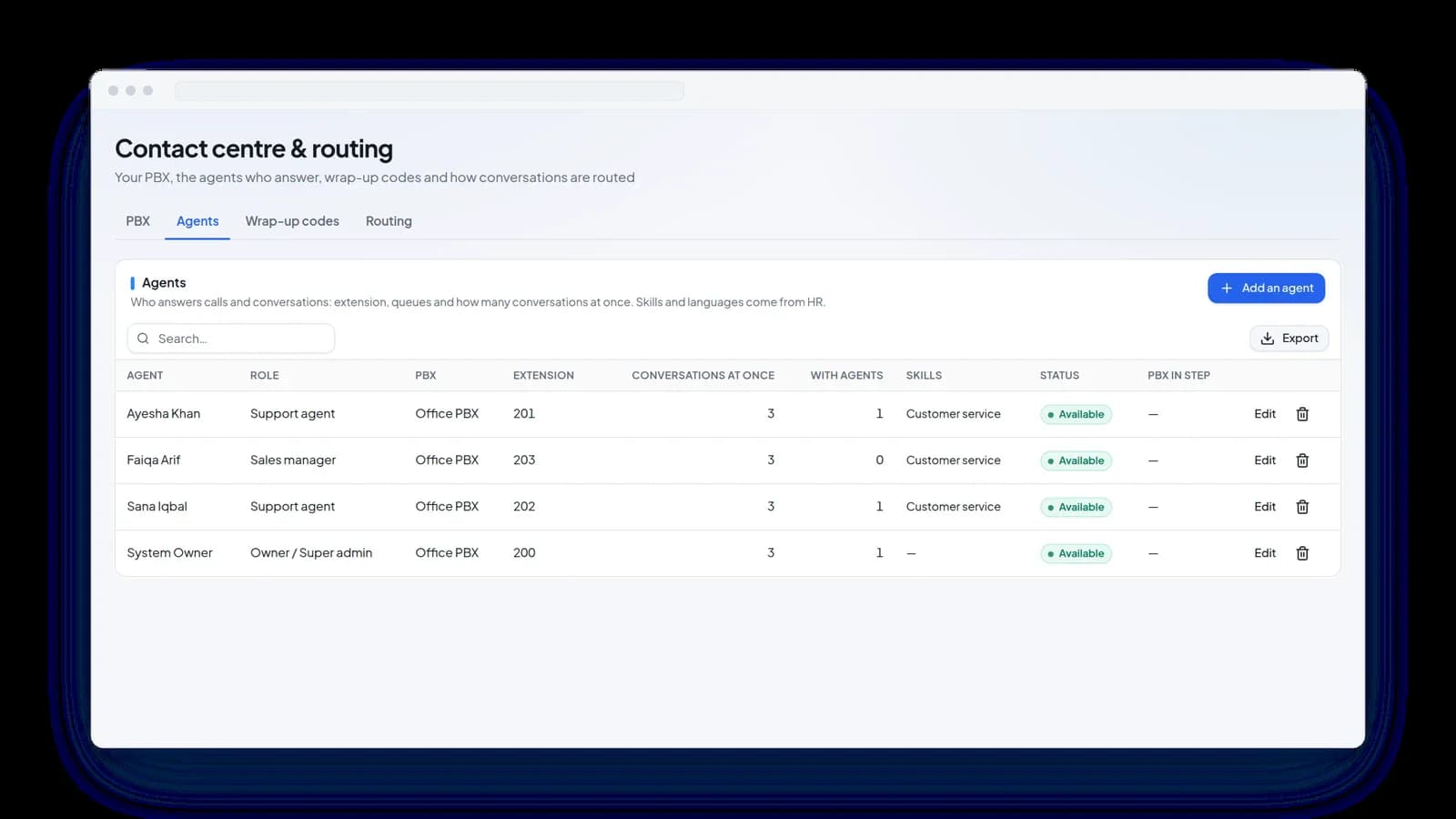
Agent status maps to PBX queues, so availability, wrap-up and not-ready are real, and routing sends the right call to the right skilled agent.
- Agent status ↔ PBX queues
- Skill- and queue-based delivery
- Wrap-up and not-ready states
- Tied into omnichannel routing
Close the loop and see the floor.
Wrap-up codes create tickets and categorise outcomes, while a live wallboard shows calls waiting, longest wait, service level and agents available — the numbers a supervisor manages by.
- Wrap-up codes create tickets
- Call log and recording references
- Live wallboard and service level
- Historical contact-centre reports
A call centre on the subscriber record.
The contact centre runs on the same subscriber graph as CRM, Billing and NMM, so the person on the phone is the record on the screen — and the call, the ticket and the network are one history.
PBX integration
Asterisk AMI / FreeSWITCH ESL.
Click-to-call
Dial from any record.
Caller screen-pop
Subscriber, network, billing.
Agent status
Mapped to PBX queues.
Wrap-up codes
Outcome becomes a ticket.
Call log
Every call recorded on the record.
Wallboard
Live queue and service level.
Reports
Historical contact-centre analytics.
Questions we get on the first call.
Does it replace our PBX?
No. It connects to the operator’s own Asterisk or FreeSWITCH over AMI/ESL, so you keep your telephony and gain click-to-call, screen-pop, agent status, wrap-up and a wallboard in the console.
What does the agent see when a call comes in?
A screen-pop with the subscriber, their ONT signal, last invoice and open tickets — so the agent helps immediately instead of asking for an account number.
How do calls become tickets?
Wrap-up codes categorise the outcome and create a ticket on the subscriber, so the work continues after the call ends.
Turn your phone lines into informed conversations.
Netxol Contact Centre ships with Netxol One. Talk to us about connecting your Asterisk or FreeSWITCH.